(マニュアルをまとめつつあります.)
ここでは,NetBeansIDEとJava FX Scene Builerを用いた画像ビューワのアプリ構築の例を紹介します.
1. 新規プロジェクトの作成(FXMLappl01)
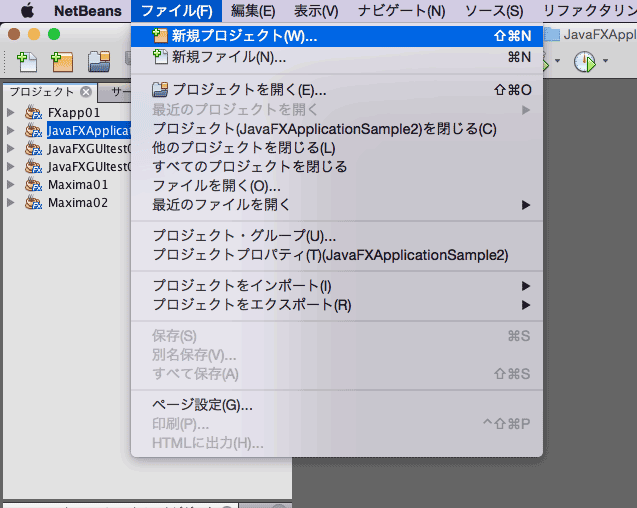
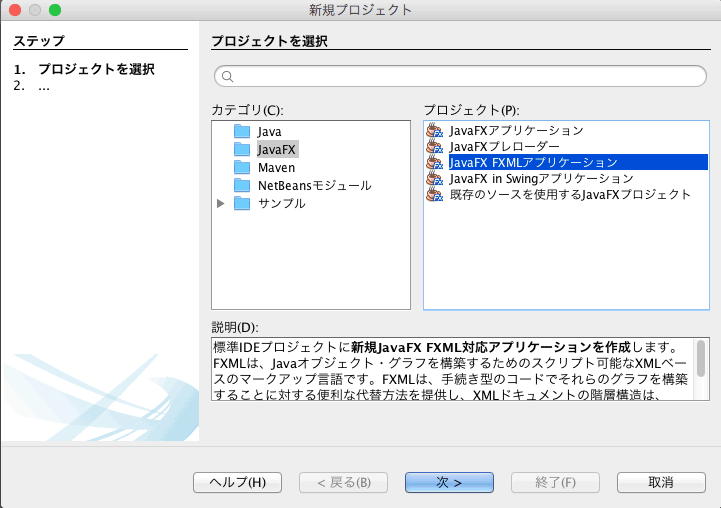
「Java FX FXMLアプリケーション」を選択します.
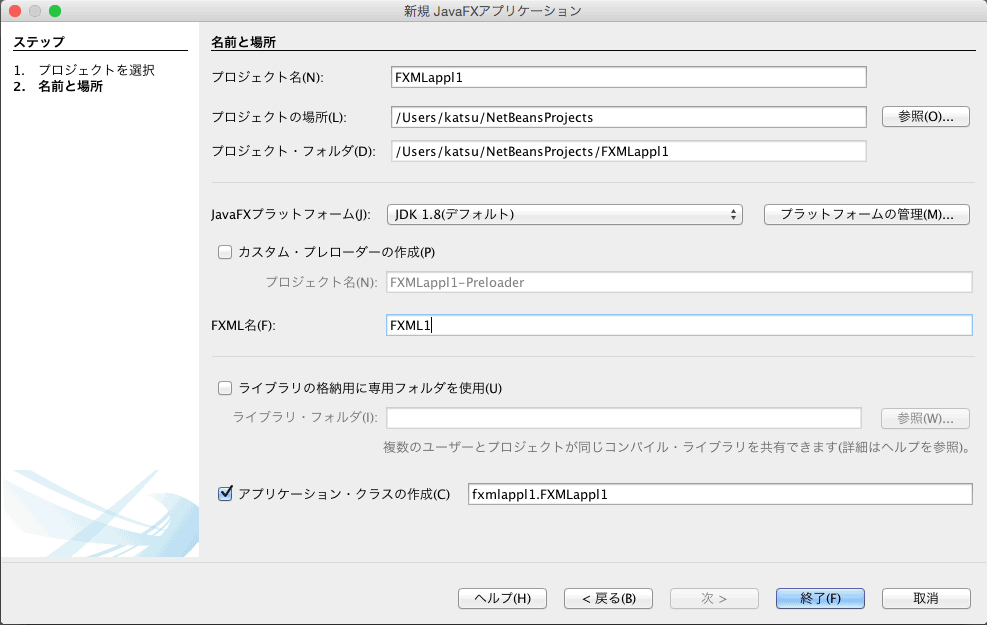
「プロジェクト名」と「FXML名」を設定します.
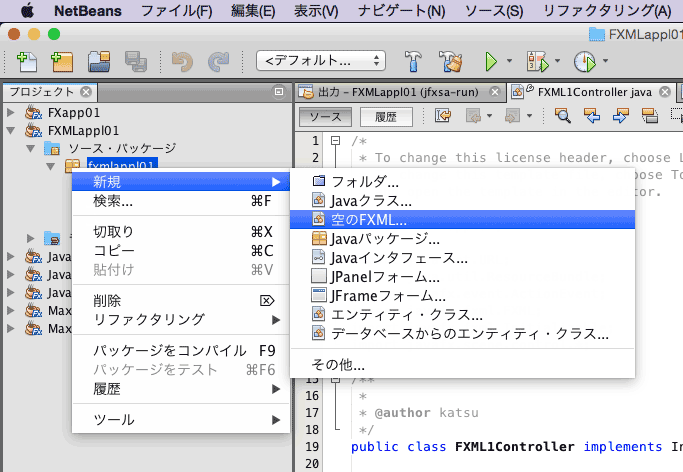
空のFXMLを追加します.
FXMLファイルの名前を指定します.
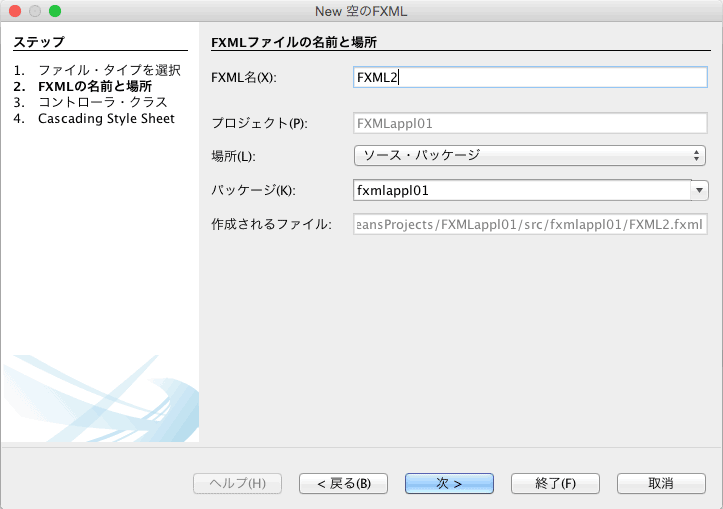
ここでは既存のFXMLコントローラを使うことにします.
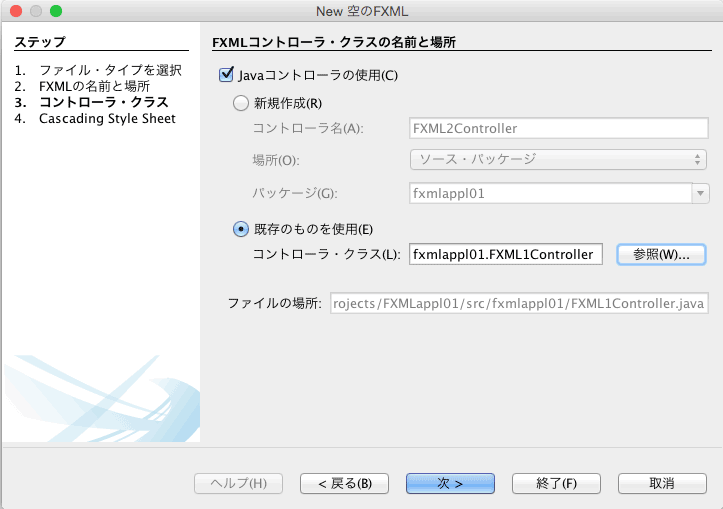
FXMLのコード:FXML1.fxml
FXMLのコード:FXML2.fxml
ファイル:FXMLappl01.java
package fxmlappl01;

import javafx.application.Application;
import javafx.fxml.FXMLLoader;
import javafx.scene.Parent;
import javafx.scene.Scene;
import javafx.scene.image.Image;
import javafx.stage.Stage;

public class FXMLappl01 extends Application {

    public static Stage stage2;

    @Override
    public void start(Stage stage) throws Exception {
        Parent root = FXMLLoader.load(getClass().getResource("FXML1.fxml"));

        Scene scene = new Scene(root);

        stage.setTitle("Main Window");
        stage.setScene(scene);
        stage.show();


        /* Another Window */
        stage2 = new Stage();
        stage2.initOwner(stage);

        Parent root2 = FXMLLoader.load(getClass().getResource("FXML2.fxml"));

        Scene scene2 = new Scene(root2);

        stage2.setTitle("Picture Window");
        stage2.setScene(scene2);
        stage2.show();

        /* image from "http://www.ashinari.com/" */
        Share.img1 = new Image(getClass().getResourceAsStream("1.jpg"));
        Share.img2 = new Image(getClass().getResourceAsStream("2.jpg"));
    }

    public static void main(String[] args) {
        launch(args);
    }

}
ファイル:Share.java
package fxmlappl01;

import javafx.scene.image.*;

public class Share {
    public static Image img1, img2;
}
ファイル:FXML1Controller.java
package fxmlappl01;

import java.net.URL;
import java.util.ResourceBundle;
import javafx.event.ActionEvent;
import javafx.fxml.FXML;
import javafx.fxml.Initializable;
import javafx.scene.control.*;
import javafx.scene.image.*;

public class FXML1Controller implements Initializable {

    @FXML
    private Button btn1, btn21, bnt22, btn23;
    @FXML
    private ImageView iv1;

    @FXML
    private void handleButton_btn1(ActionEvent ev) {
        System.out.println("Open Another Window!");
        FXMLappl01.stage2.show();
    }

    @FXML
    private void handleButton_btn21(ActionEvent ev) {
        iv1.setImage(Share.img1);
    }

    @FXML
    private void handleButton_btn22(ActionEvent ev) {
        iv1.setImage(Share.img2);
    }

    @FXML
    private void handleButton_btn23(ActionEvent ev) {
        iv1.setImage(null);
    }

    @Override
    public void initialize(URL url, ResourceBundle rb) {
        // TODO
    }

}
このアプリを実行したところ:
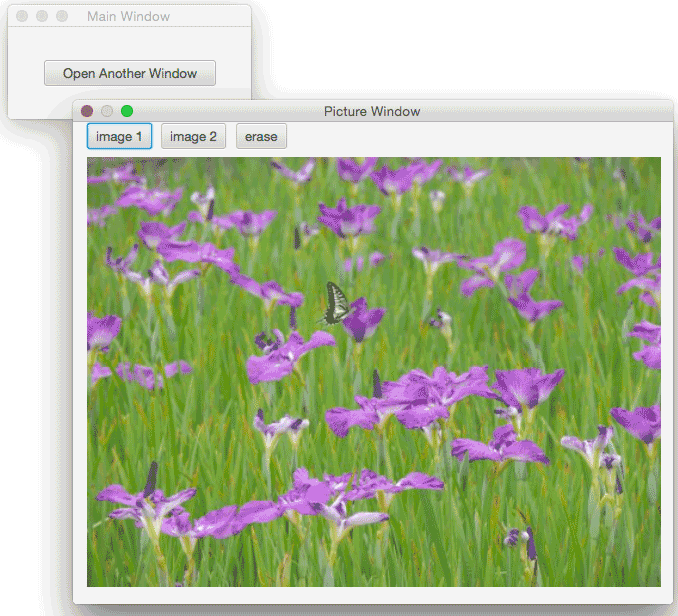
プロジェクト全体(Zip圧縮):FXMLappl01.zip